
Get started with JSON Viewer Macro for Confluence ( Cloud/Server/Datacenter). JSON Viewer makes it easy to view formatted JSON in Confluence.
The macro can be placed into any Confluence page to quickly turn your lengthy JSON objects into a friendly readable format.
Supports different view formats Inbuilt JSON syntax validation & complete data privacy & security.
1. Installing the App
Administrator access is required to install the App.
-
Log in to Confluence
-
Go to "Settings" link via the sidebar
-
Click the "Find new add-ons" link on the left side bar
-
Search for JSON Viewer Macro for Confluence
-
Click the "Free Trial" button to start your evaluation
-
That's it, you are good to go!
2. Accessing the App
After you have installed the App , JSON viewer is available in the macro browser.
-
Log in to Confluence
-
Go to a page and click "Edit"
-
Click the "+" link on the toolbar
-
Click other macros
-
Search for JSON Viewer Macro for Confluence in macro browser
-
Select the JSON Viewer macro
-
You are good to get started with your macro !
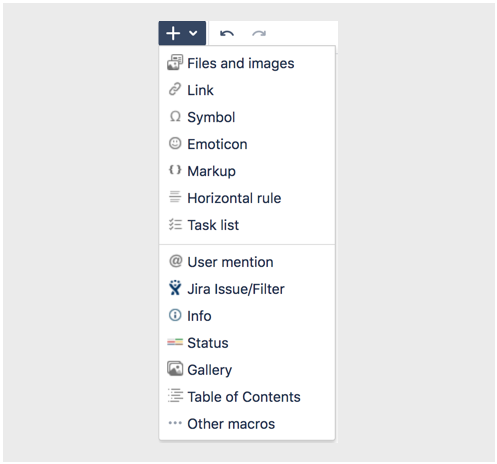
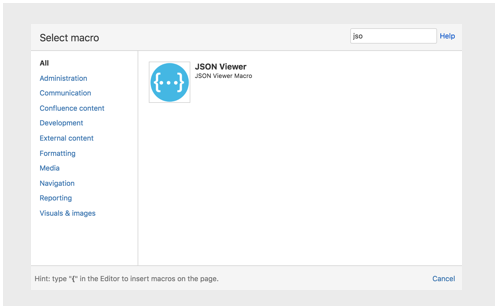
Add JSON Macro to your Confluence Page using the Macro browser
Alternatively you may edit the Confluence page and start typing
'{json' and select 'JSON Viewer Macro' in drop down menu to access the macro.