
To edit or delete widgets that you have added or created:
We have two Options:
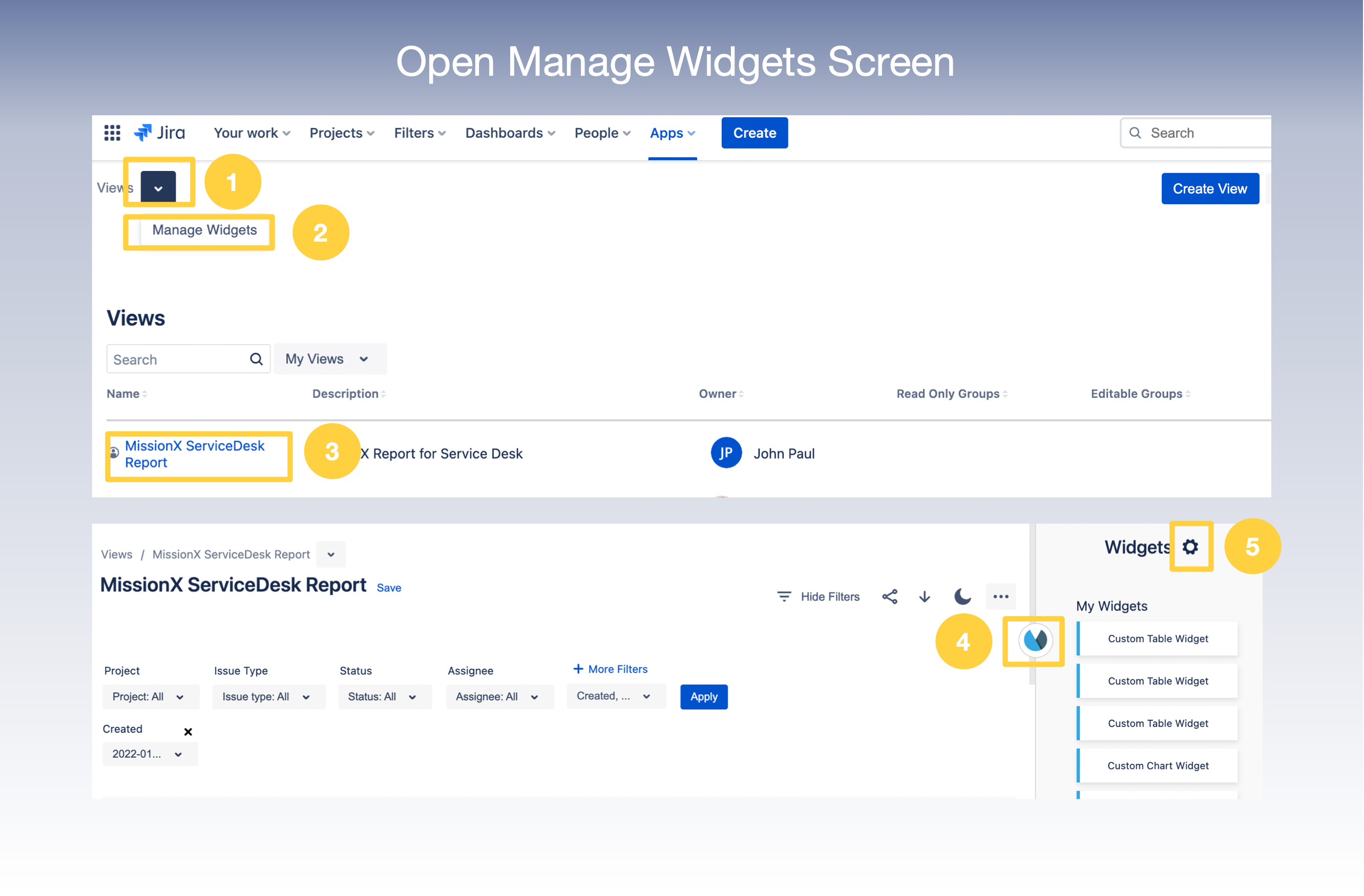
1. If you are on the Home page for Reports for Jira, click on Manage Widgets Button
OR
3. Select the View you want to modify from the list of Views displayed on the Home page
4. Click on the App icon to show the Widget Panel
5. Click on Settings Icon to open Manage Widgets screen
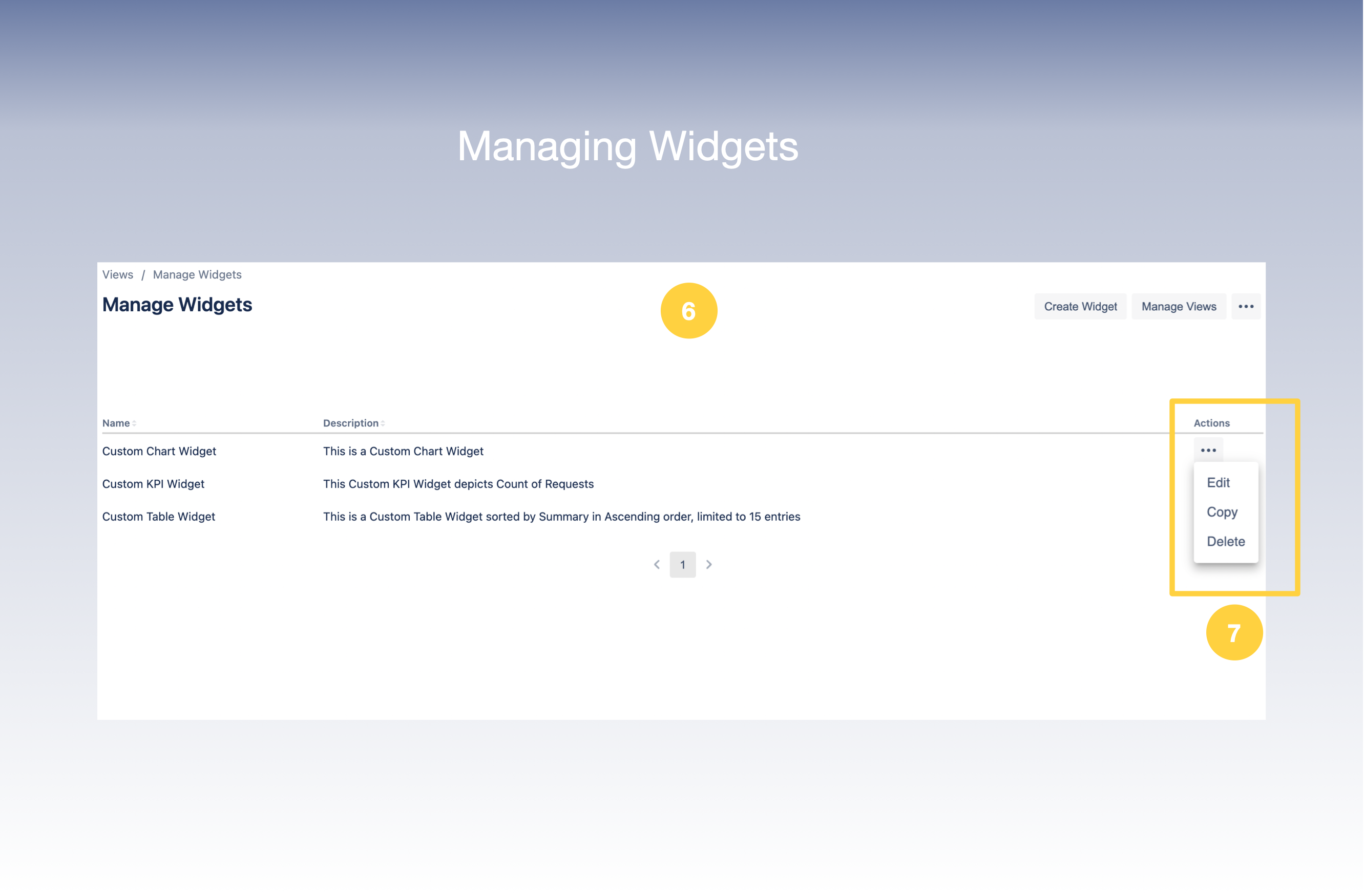
6. You are now at Manage Widgets Screen
7. Click on (. . .) Options Menu which gives you an option to Edit, Copy or Delete
8. Now let’s take a look at the Edit and Delete Options
9. On click of Edit - The Update Widget page would appear where you could edit the Widget Details and Filters
11. On Click of Delete - The Widget would get deleted