This feature is documented for Cloud. For availability in your Data Center version, contact VIEW26 support.
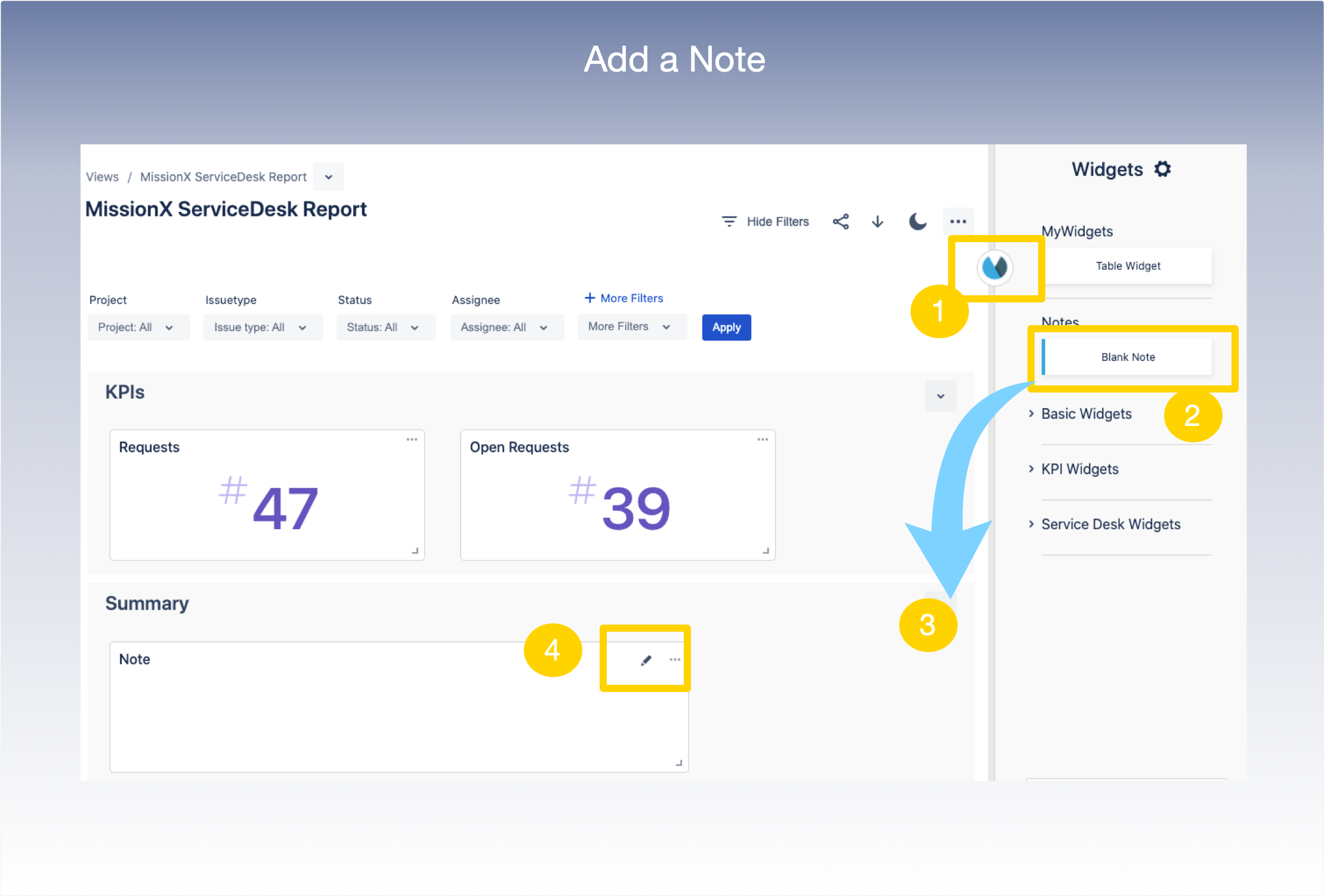
To add notes or comments to a PDF report:
1. Within the view, Click App icon to show the Widget Panel
2. Select the Blank Note widget to add a comment in-line.
3. Drag and drop the Blank Note Widget to the desired section. Use the drag handle to position the widget as desired.
4. Select the Pencil Icon to add comments to the report before exporting as a pdf.