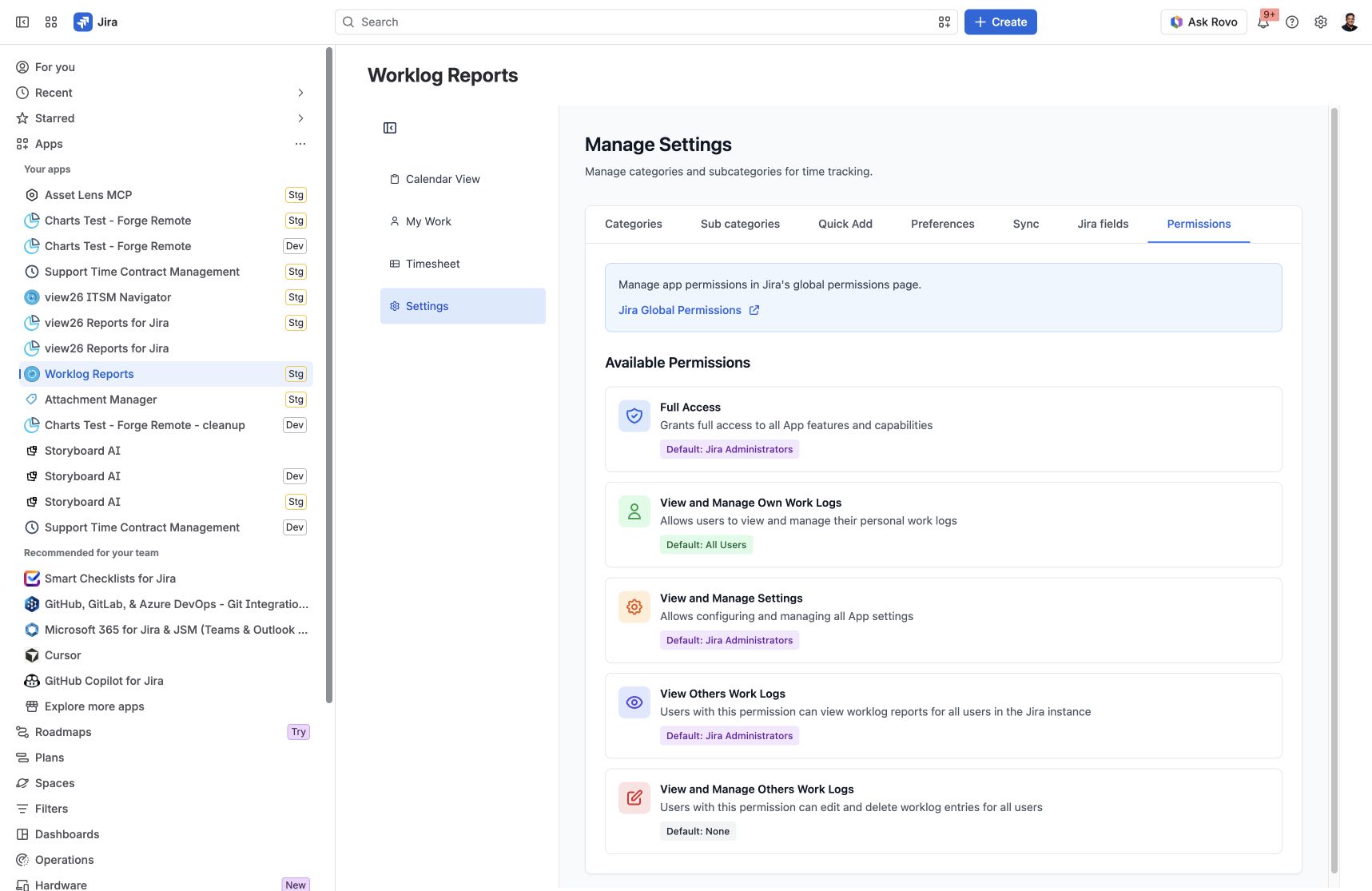
Use app permissions to give each group the access it needs for personal time tracking, team reporting, configuration or worklog maintenance.
App permission levels
|
Permission |
Purpose |
Default grant |
|---|---|---|
|
Full Access |
Access to all app features |
Jira Administrators |
|
View and Manage Own Work Logs |
Create, view, edit and delete your own time entries |
All Users |
|
View and Manage Settings |
Configure the app Settings |
Jira Administrators |
|
View Others Work Logs |
Read worklog reports for other users |
Jira Administrators |
|
View and Manage Others Work Logs |
Edit and delete other users’ worklogs |
None |
Defaults describe the app’s initial default grants. Your Jira site’s configured groups and permissions may differ. Viewing other users’ reports does not by itself grant permission to edit their worklogs.
Configure access
-
Open Worklog Reports → Settings → Permissions.
-
Click Jira Global Permissions.
-
Find the relevant Worklog Reports permission and review the groups assigned to it.
-
A Jira administrator can add or remove group grants in Jira Global Permissions.
-
Have a user in the intended group verify the required workflow.
Configure the app
Manage Settings — categories, activities, preferences, sync and Jira fields
Screenshots
Settings → Permissions: review the app permission levels and their default grants.