
Portal metrics give customers a clear, shared view of their support commitment without requiring an agent to prepare a separate report.
What customers see
|
Contract model |
Portal presentation |
|---|---|
|
Fixed Term with hours |
An hours-consumption gauge with the remaining allowance. |
|
Fixed Term without hours |
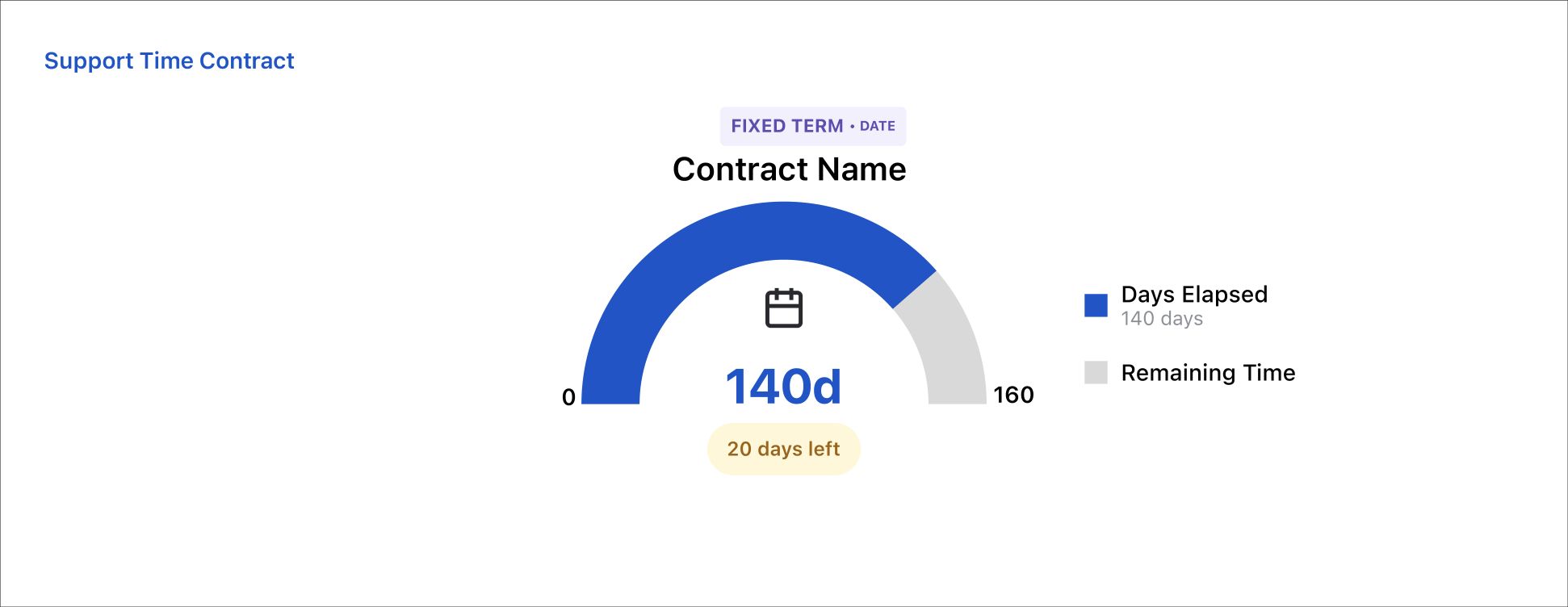
A calendar gauge showing days elapsed and days remaining. |
|
Recurring |
An hours-consumption gauge for the current monthly or yearly period. |
|
Hour Bank — hours only |
An hours-consumption gauge for the prepaid balance. |
|
Hour Bank — hours or end date |
A dual gauge showing both remaining hours and remaining days so the earlier expiry risk is visible. |
Enable portal metrics
-
Create or modify the contract.
-
Make sure the request is covered by the contract's issue filter.
-
Turn on Contract Metrics Visibility.
-
Save the contract.
-
Open a covered request in the Jira Service Management customer portal and confirm the correct contract badge and gauge.
Administrators can also use Settings → Configuration → Show Description on Portal to display the contract description.
Privacy and clarity: only enable portal visibility for contracts whose scope and wording are appropriate for customers. Use the Description field to explain what the contract covers.
Warnings and expired states
-
A contract approaching its end date can show a warning with the remaining time.
-
Hour Bank contracts with a date limit show both the hours and date risk.
-
When the applicable expiry rule is met, the portal displays an expired state.
Portal examples
Date-only Fixed Term
The customer sees elapsed calendar time and the number of days left.
Hour Bank with dual expiry
The customer sees remaining hours and remaining days in one view.
.png?cb=500e6bfff031af718857f4185d3ad1a6)