
Use PageView Insights for Confluence to understand page visits and content engagement. Install the app, open it from your space, and follow the linked Viewing Insights guide to explore your first report.
Installing Page View Insights
Administrator access is required to install the App.
-
Log in to Confluence
-
Go to "Settings" link via the sidebar
-
Click the "Find new add-ons" link on the left side bar
-
Search for Page View Insights for Confluence
-
Click the "Free trial" button to start your evaluation
-
That's it, you are good to go!
Accessing Page View Insights
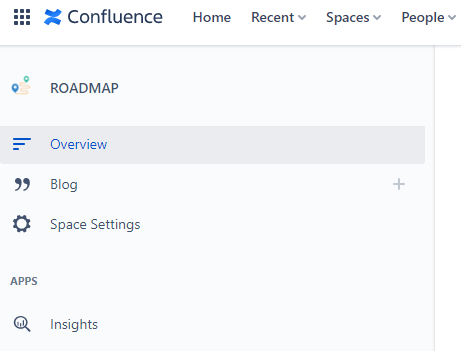
After you have installed Page View Insights , the App icon is available to you in Confluence Space Navigation toolbar as shown below.
Next Steps
Well done, you've now installed Page View Insights ! For an in-depth guide on how to view insights, see the guide to using Page View Insights.