
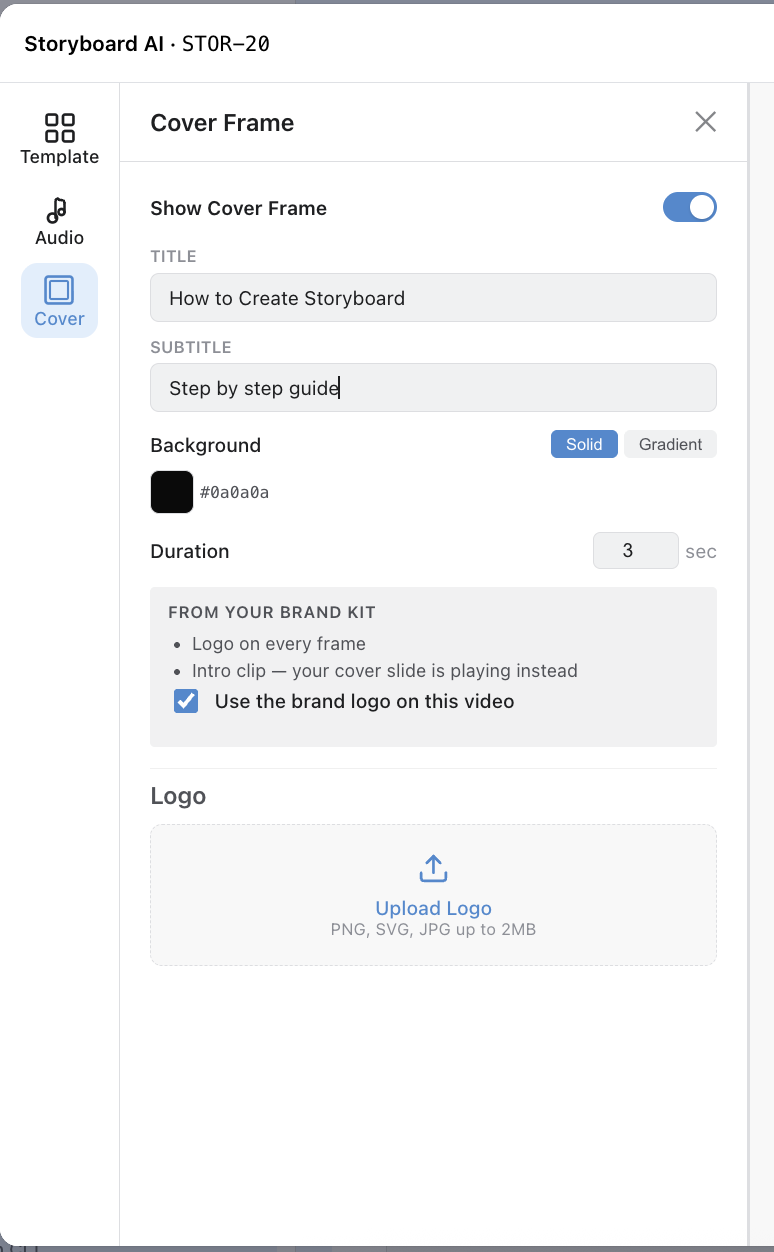
The cover frame in Storyboard AI is an optional title card that plays before the first frame of your video. It's useful for title slides on social posts.
-
Title and subtitle — centered text.
-
Background — solid color or gradient. Follows the template by default.
-
Duration — 3 seconds by default, adjustable.
-
Show/hide — toggle the cover off without losing your settings.
Add your logo
You can add your company logo to a Storyboard AI video from the Cover Settings panel.
-
Open the editor and click Cover in the left sidebar.
-
Upload your logo. PNG, SVG or JPG, up to 2 MB.
-
Choose a corner: top-left, top-right, bottom-left or bottom-right.
The logo appears in the centre of the cover frame, above the title and subtitle, and then in the chosen corner on every frame of the video.