
Storyboard AI narrates your video with an AI voice, writes the script for you if you want, and adds captions timed word by word to the narration.
Voices
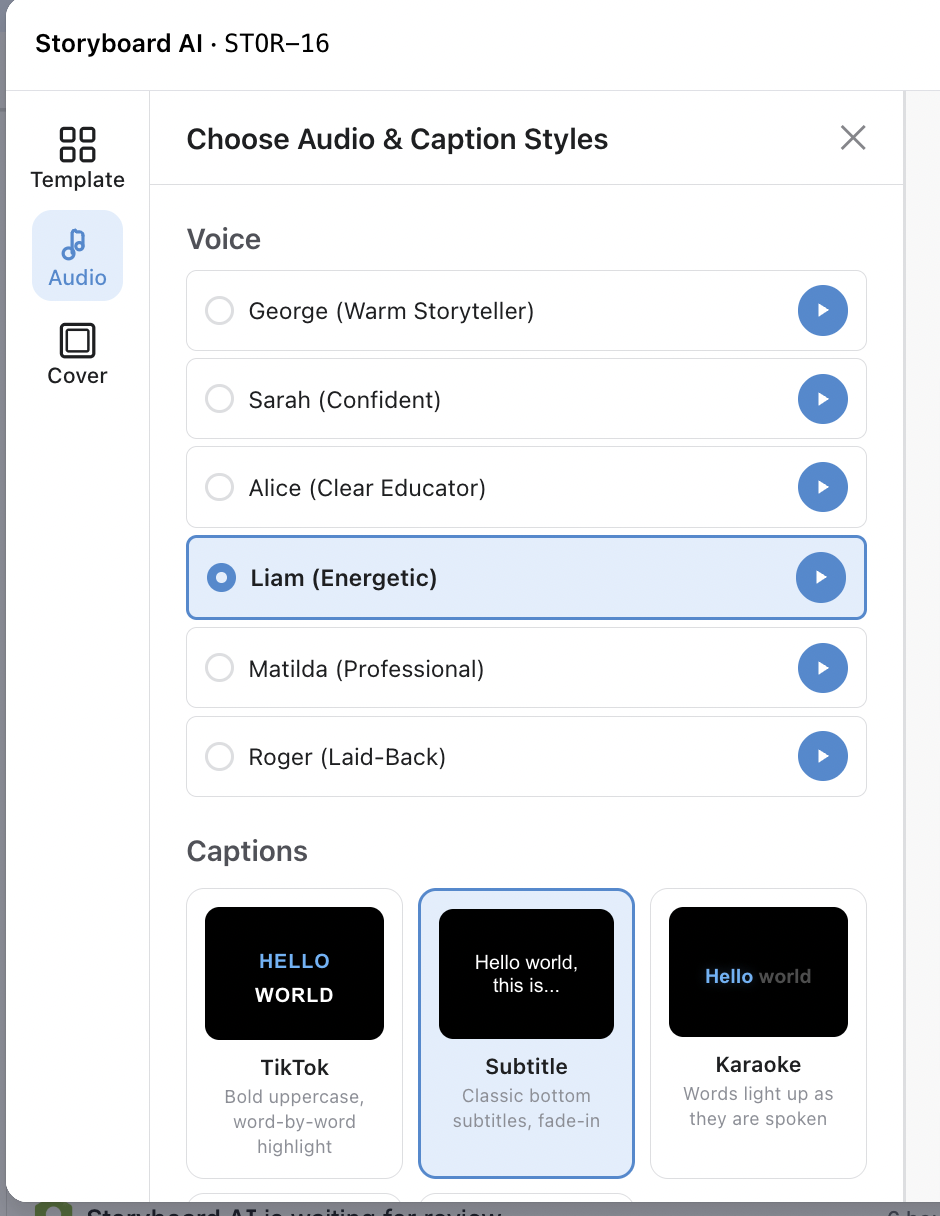
Pick one of our voices for narration. Click ▶ next to a voice to hear a short sample first.
-
George (Warm Storyteller)
-
Sarah (Confident)
-
Alice (Clear Educator)
-
Liam (Energetic)
-
Matilda (Professional)
-
Roger (Laid-Back)
AI-generated scripts
Describe the tone you're going for ("friendly product demo," "fast-paced social ad," etc.) and give a brief description of what each frame shows, then click Generate Scripts. The AI drafts a narration line for each frame based on your description and the frame names you've set. Edit the drafts inline to polish them if required.
Captions
Captions are timed word-by-word to the narration, so each highlight lines up perfectly with the spoken audio.
Caption Styles
|
Style |
Look |
|---|---|
|
TikTok |
Bold uppercase, one word glowing at a time, bottom-center |
|
Subtitle |
Classic centered subtitles with a soft fade-in |
|
Karaoke |
Words light up as they're spoken, with a subtle slide-up |
|
Minimal |
Small text in the lower-left with a thin accent bar |
|
None |
No captions |
For any style you can tweak the accent color, background opacity, and font size.