
You can apply multiple filter criteria to a view, allowing the creation of custom reports.
The criteria for the filters are based on Jira custom/systems fields.
To Apply Filters to View:
1. Click on Show Filter/ Hide Filter at the top right of the View screen
2. Select the Jira field/ fields which you want to filter.
3. Additional custom fields can be added from the ‘More Filter’ option
4. Click Apply
5. Save the View
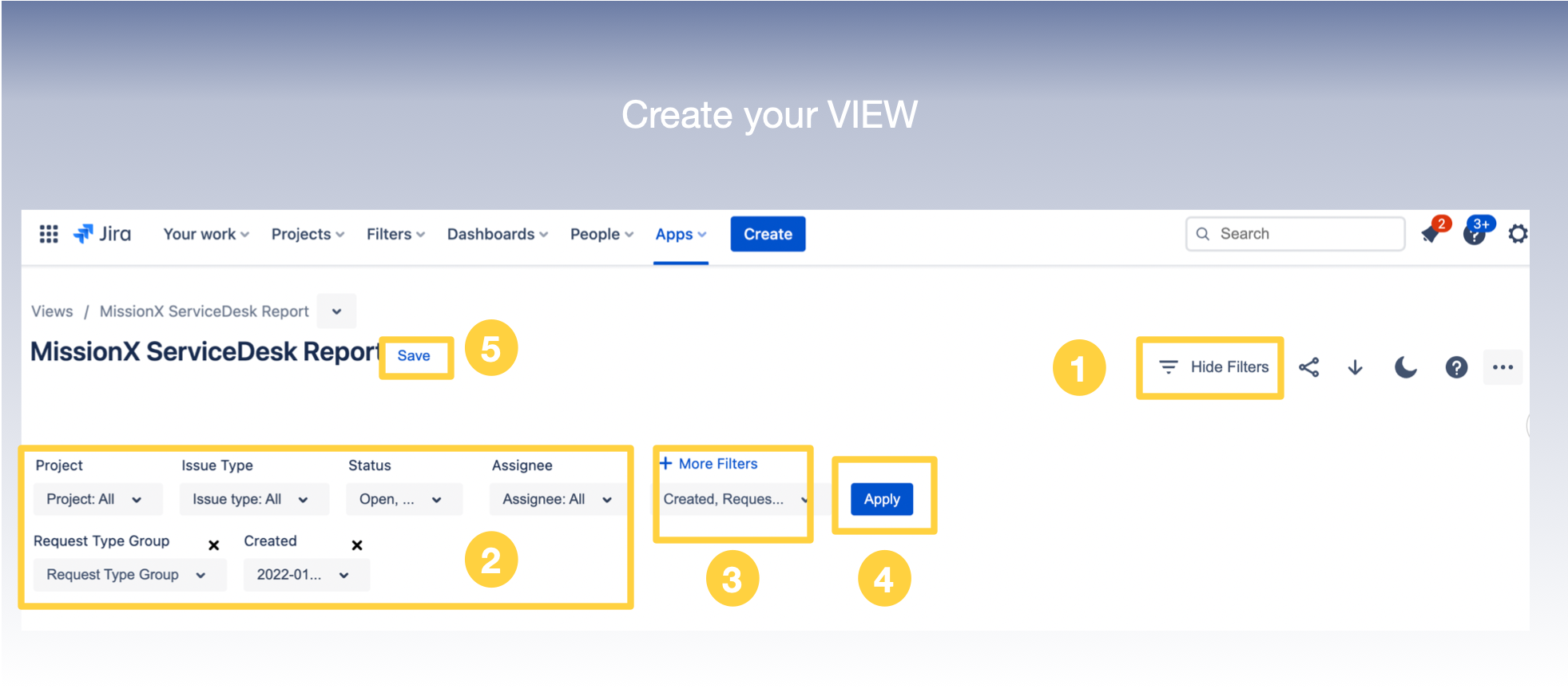
View filters are global, meaning they would be applied across all of the widgets in a view.
Related Pages :
To generate a Public link for a View : Generate a Public Link for a View
To share the VIEW with Internal stakeholders (Jira User Group) : Share a View with Jira User Groups
To share a View with External stakeholders ( Jira customers) : Share a View with a Customer Organization