This feature is documented for Cloud. For availability in your Data Center version, contact VIEW26 support.
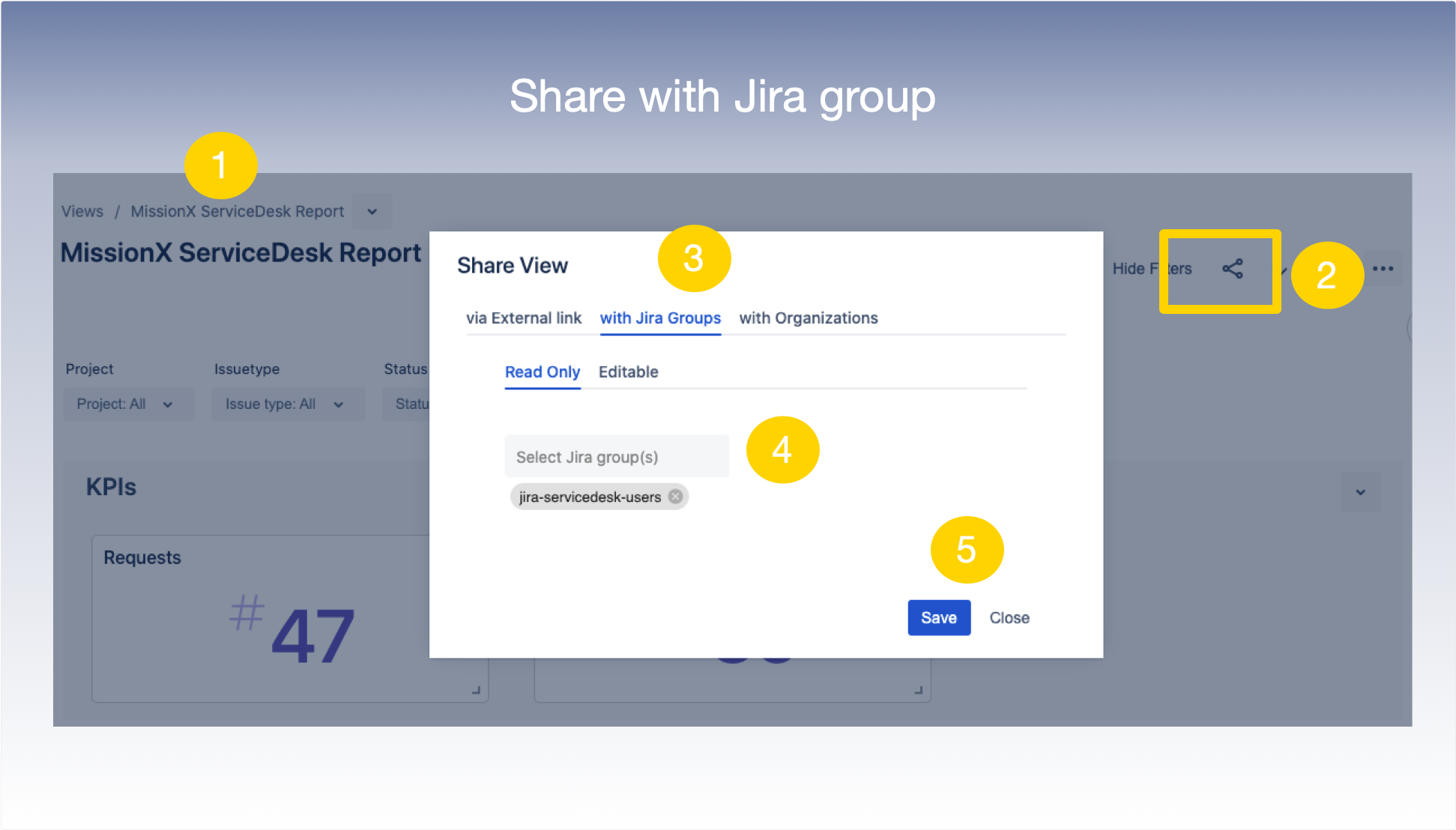
To share a View with a Jira User Group (Internal stakeholders) :
1. Select and enter the View you want to share from the Manage View / App Home Page
2. In the top tool panel of the View select the Share icon
3. Click with Jira Groups tab
4. Type in the box to search for and select the name of the Jira group you would like to share this view with
5. Click Save to confirm