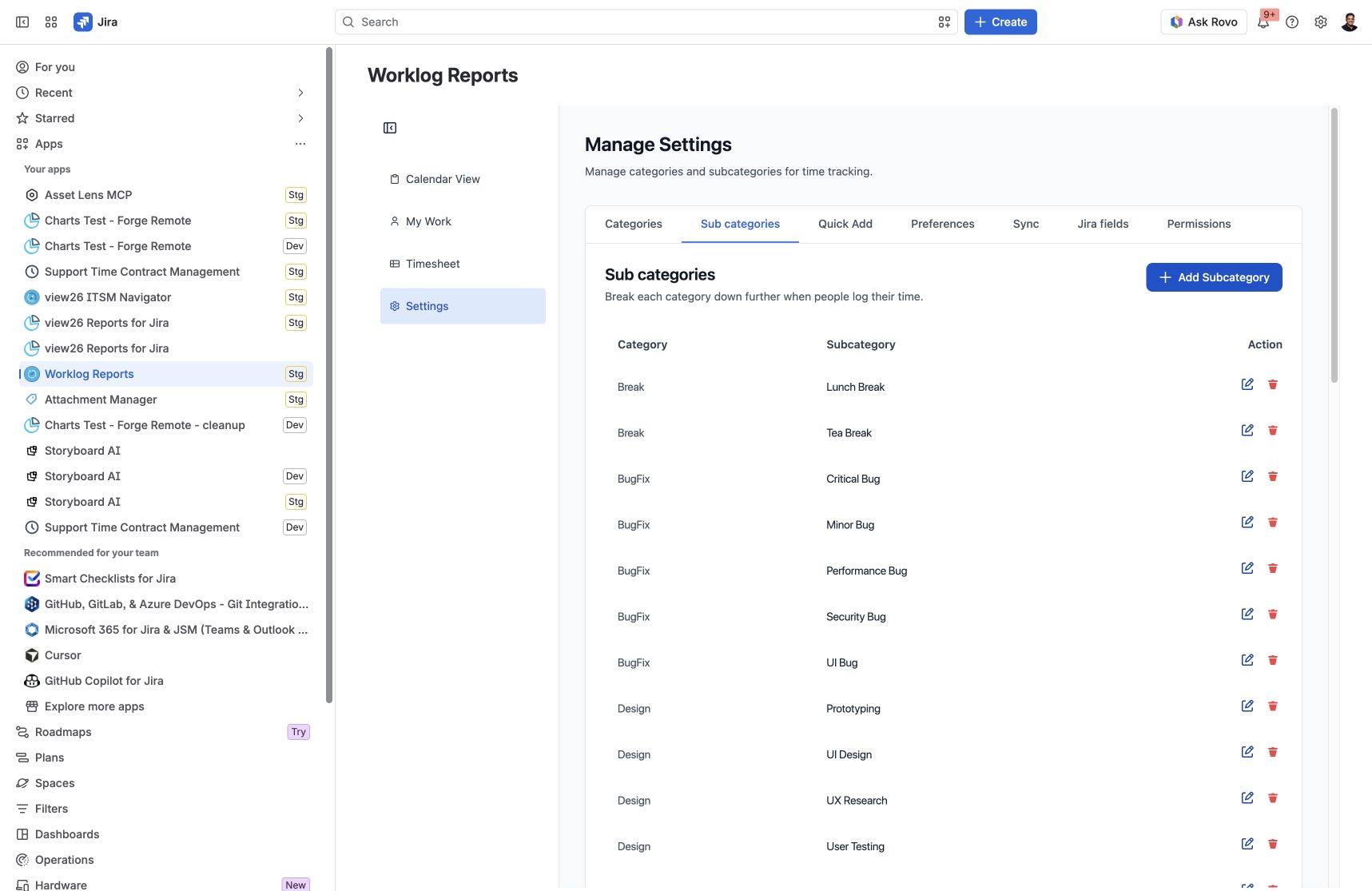
Categories describe the kind of work being logged. Subcategories provide a more detailed breakdown within a category.
Access to Settings is controlled by the Worklog Reports – View and Manage Settings app permission. If you cannot open Settings, ask your Jira administrator to review the app permissions assigned to your groups.
Add a category
-
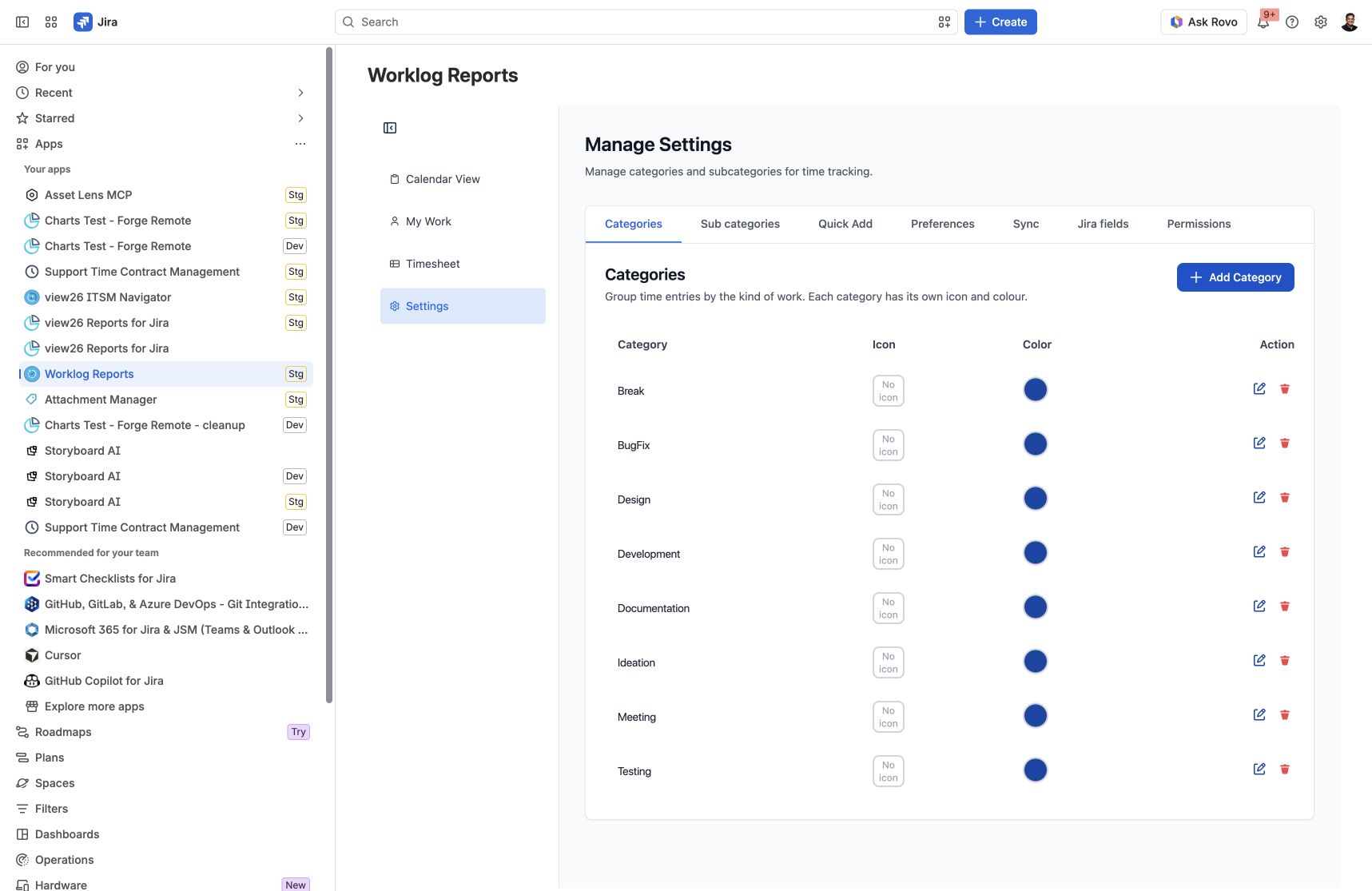
Open Worklog Reports → Settings → Categories.
-
Click Add Category. Enter the category name in the dialog.
-
Click Add to save, or Cancel to leave the configuration unchanged.
Category rows include icon and colour controls, plus Edit and Delete actions. Use these controls to keep categories easy to recognise in time entries.
Add a subcategory
-
Open Settings → Sub categories.
-
Click Add Subcategory.
-
Choose its parent Category and enter the Subcategory Name.
-
Click Add. The new subcategory becomes available under the selected category when logging time.
Maintain your categories
Use Edit to change an existing name. Before deleting a category or subcategory, review any confirmation and consider worklogs and Quick Add activities that use it. Keep labels consistent so reports remain easy to interpret.
Screenshots
Settings → Categories: category rows expose icon, colour and maintenance actions.
Settings → Sub categories: each subcategory belongs to a parent category.