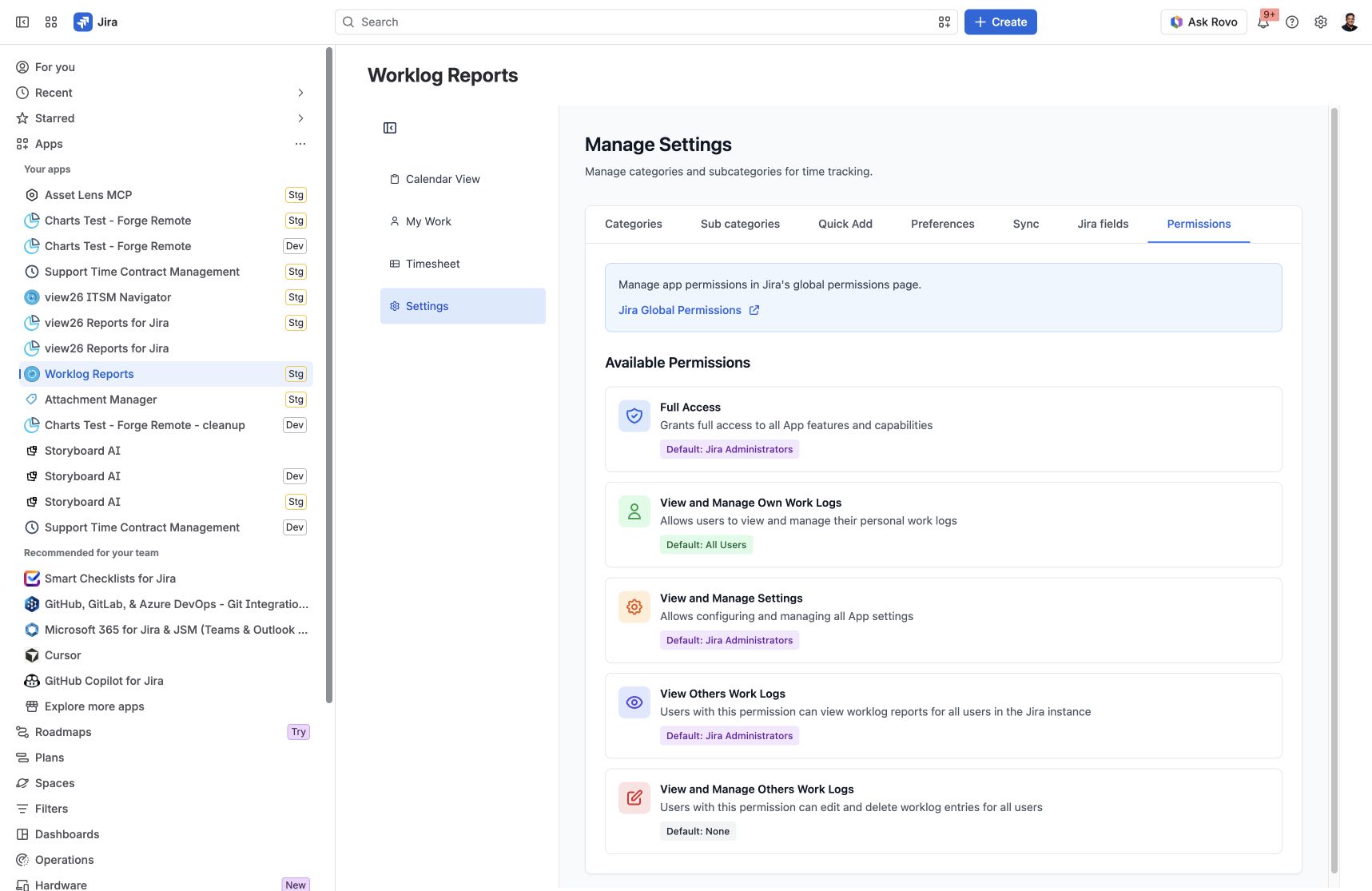
Use Settings to configure how your team records time and how Worklog Reports displays and reports it.
Access to Settings is controlled by the Worklog Reports – View and Manage Settings app permission. If you cannot open Settings, ask your Jira administrator to review the app permissions assigned to your groups.
Choose a Settings tab
|
Tab |
Purpose |
|---|---|
|
Categories |
Define the kinds of work people log. |
|
Sub categories |
Add a detailed breakdown within each category. |
|
Quick Add |
Configure reusable activity buttons for Calendar View. |
|
Preferences |
Set your visible calendar hours and daily target. |
|
Sync |
Bring Jira worklogs into the app, going back at most six months. |
|
Jira fields |
Choose up to two Jira custom fields for Timesheet filtering and grouping. |
|
Permissions |
Review app permissions and open Jira Global Permissions. |
Step-by-step guides
Manage Categories and Subcategories
Configure Quick Add Activities
Set Working Hours and Daily Targets
Filter and Group Timesheets by Jira Custom Fields
Google Calendar integration has been removed. Calendar View remains available for worklogs and Quick Add activities.
Google Calendar integration removal information
Screenshots
Settings → Permissions: review the app permission levels and their default grants.