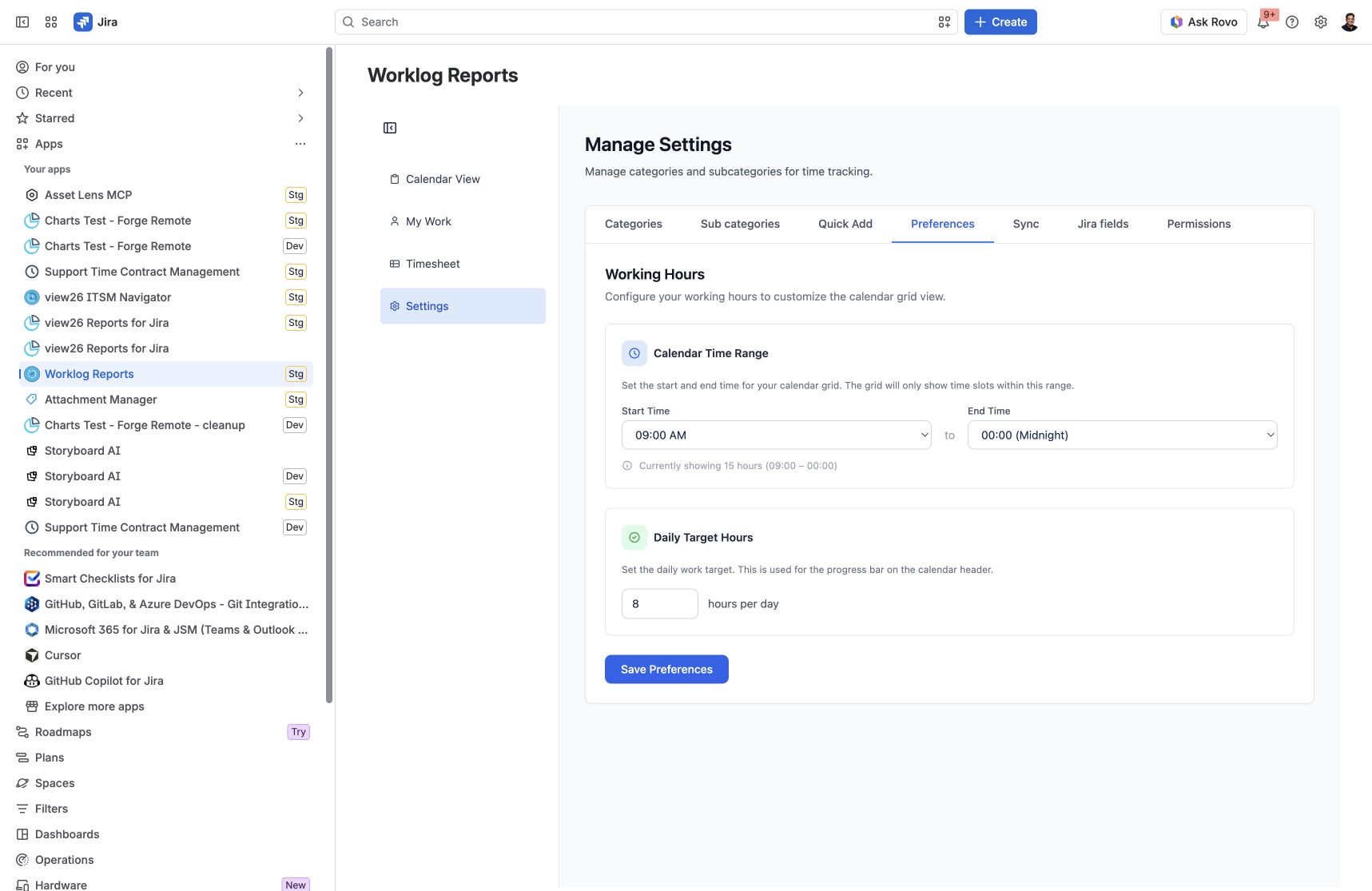
Preferences controls the hours displayed in your Calendar grid and the daily target used by its progress indicators.
Access to Settings is controlled by the Worklog Reports – View and Manage Settings app permission. If you cannot open Settings, ask your Jira administrator to review the app permissions assigned to your groups.
Change your calendar hours
-
Open Settings → Preferences.
-
Under Calendar Time Range, select Start Time and End Time.
-
Review the displayed range, then click Save Preferences.
The time range controls which hours are visible in the calendar grid. It does not change the duration of worklogs you have already recorded.
Set a daily target
-
Under Daily Target Hours, enter the hours you aim to log each day.
-
Click Save Preferences.
-
Return to Calendar View to see logged time compared with your target.
Preferences are stored for your user. Changing your target does not create worklogs.
If the result is unexpected
-
Check that you saved your changes.
-
Confirm the selected start and end times and the daily target.
-
Open the correct week in Calendar View when comparing totals.
Screenshots
Settings → Preferences: visible calendar hours and the daily target are configured separately.