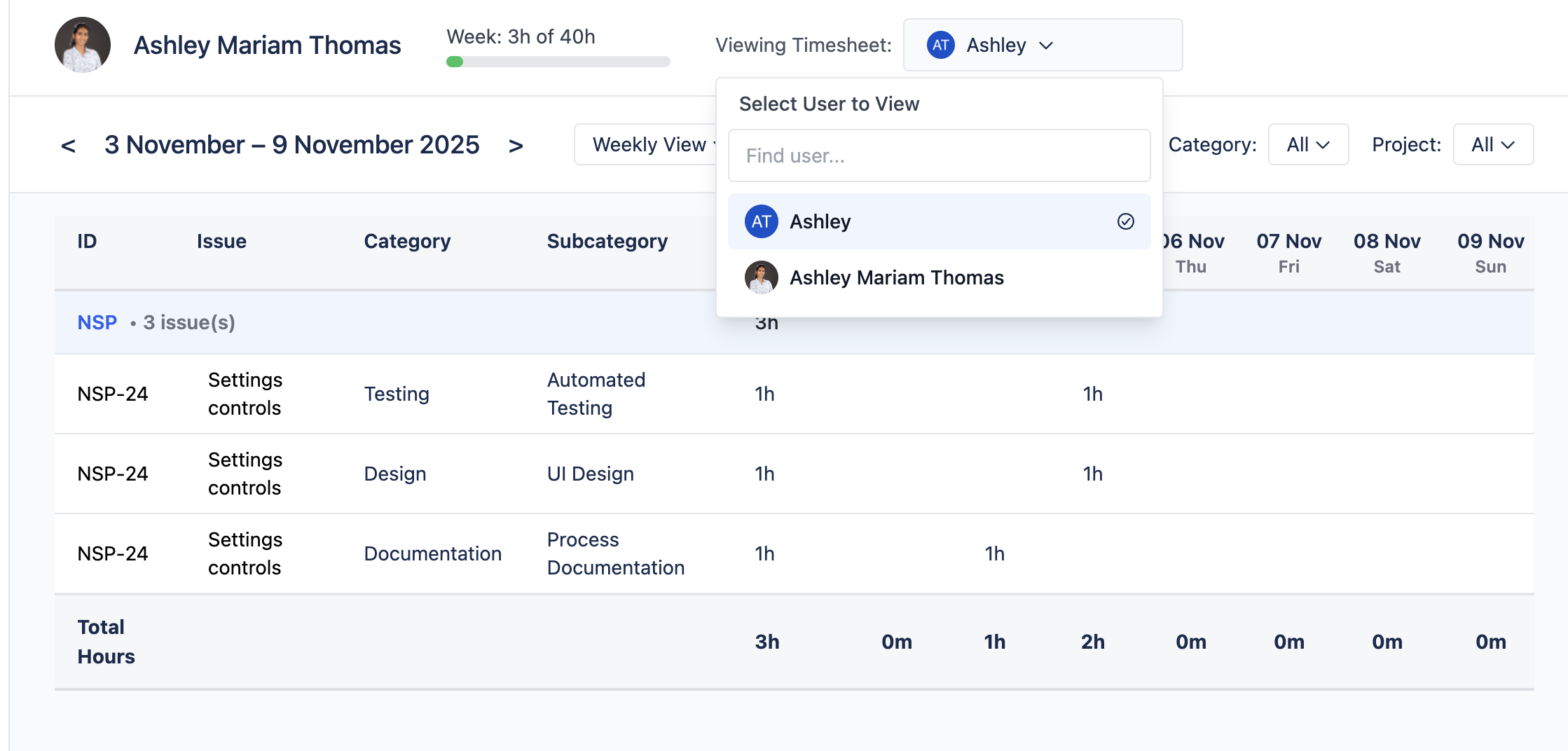
View Others Work Logs permission allows users to view worklog reports and time tracking data for all users across the Jira instance in read-only mode. This permission is ideal for managers, team leads, and stakeholders who need visibility into team activities without the ability to modify worklog entries.
Users with this permission cannot:
-
Edit worklog entries created by other users
-
Modify time tracking settings or configurations
-
Create worklog entries on behalf of other users
Steps:
-
Navigate to Global Permissions
-
Go to Jira Administration
-
Select System from the left sidebar
-
Click on Global Permissions
-
-
Locate the Worklog Reports Permission
-
Scroll through the permissions list to find "Worklog Reports - View Others Work Logs"
-
This permission controls read-only access to all users' worklog data
-
-
Assign Permission to Groups
-
Click "Add Permission" or the edit icon next to the permission
-
Select the user group(s) you want to grant this permission to
-
Click "Grant" to save
-
Now, users can select any user from the user dropdown to view their timesheet