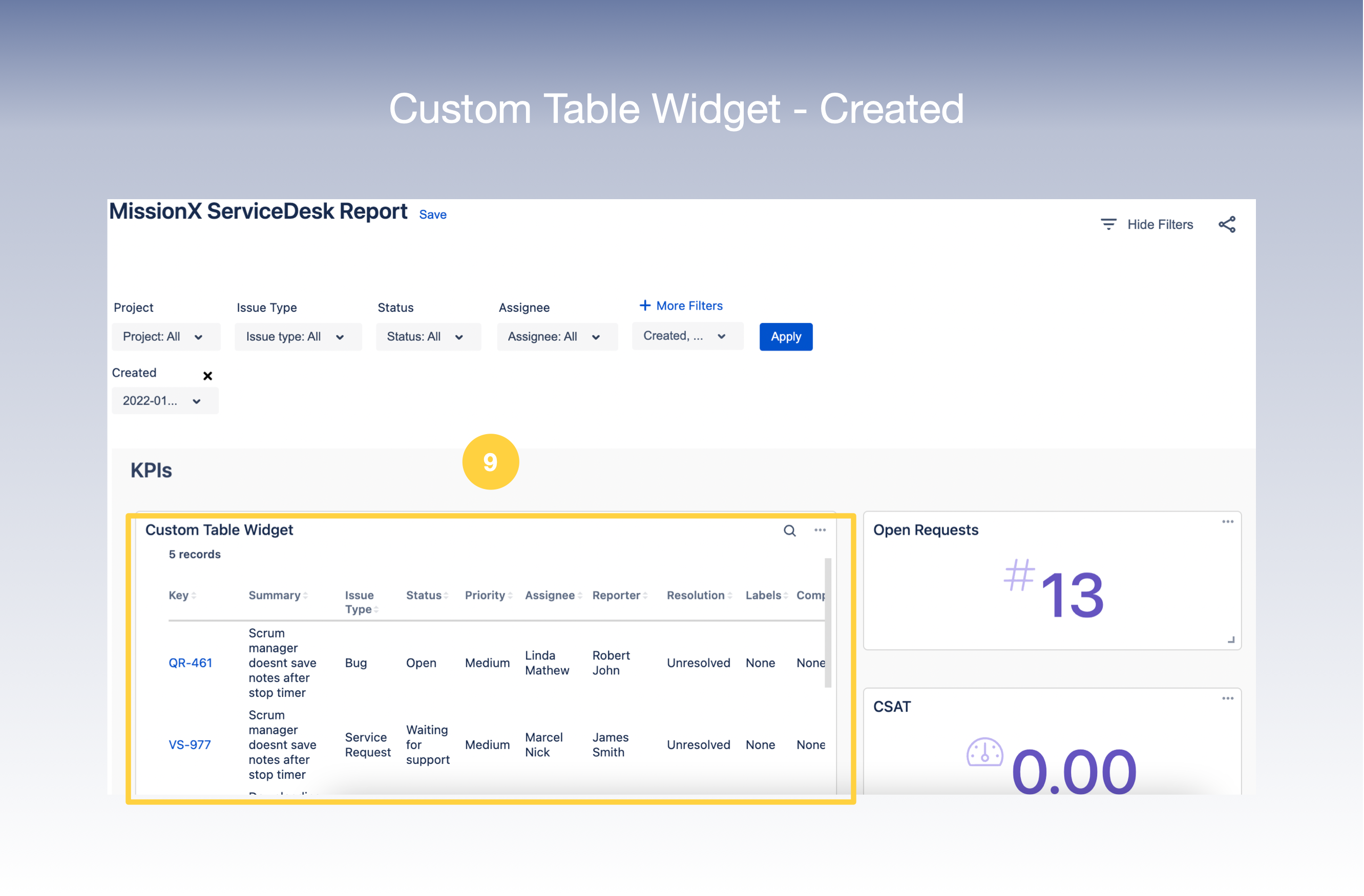
Let’s take a look at how to create a Custom Widget of Table Type.
-
Select Type as Table on the Create Widget screen.
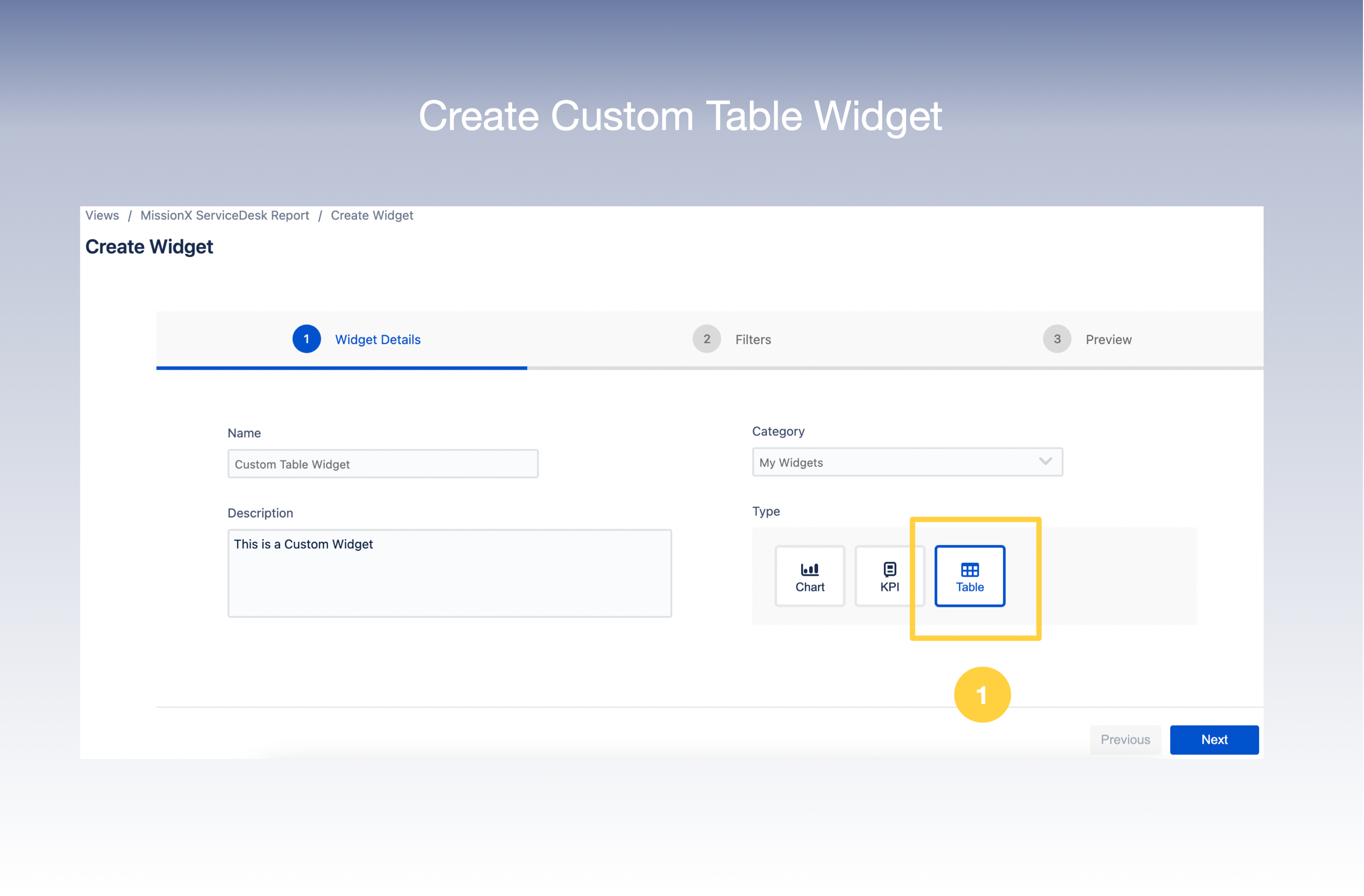
2. In the next screen, select the Filters you wish to apply to your view .
3. Select your Filter criteria - Columns ,Order By, Order , Limit as required from the drop down lists.
4. There is also an option to add More Filters.
5. Click Next
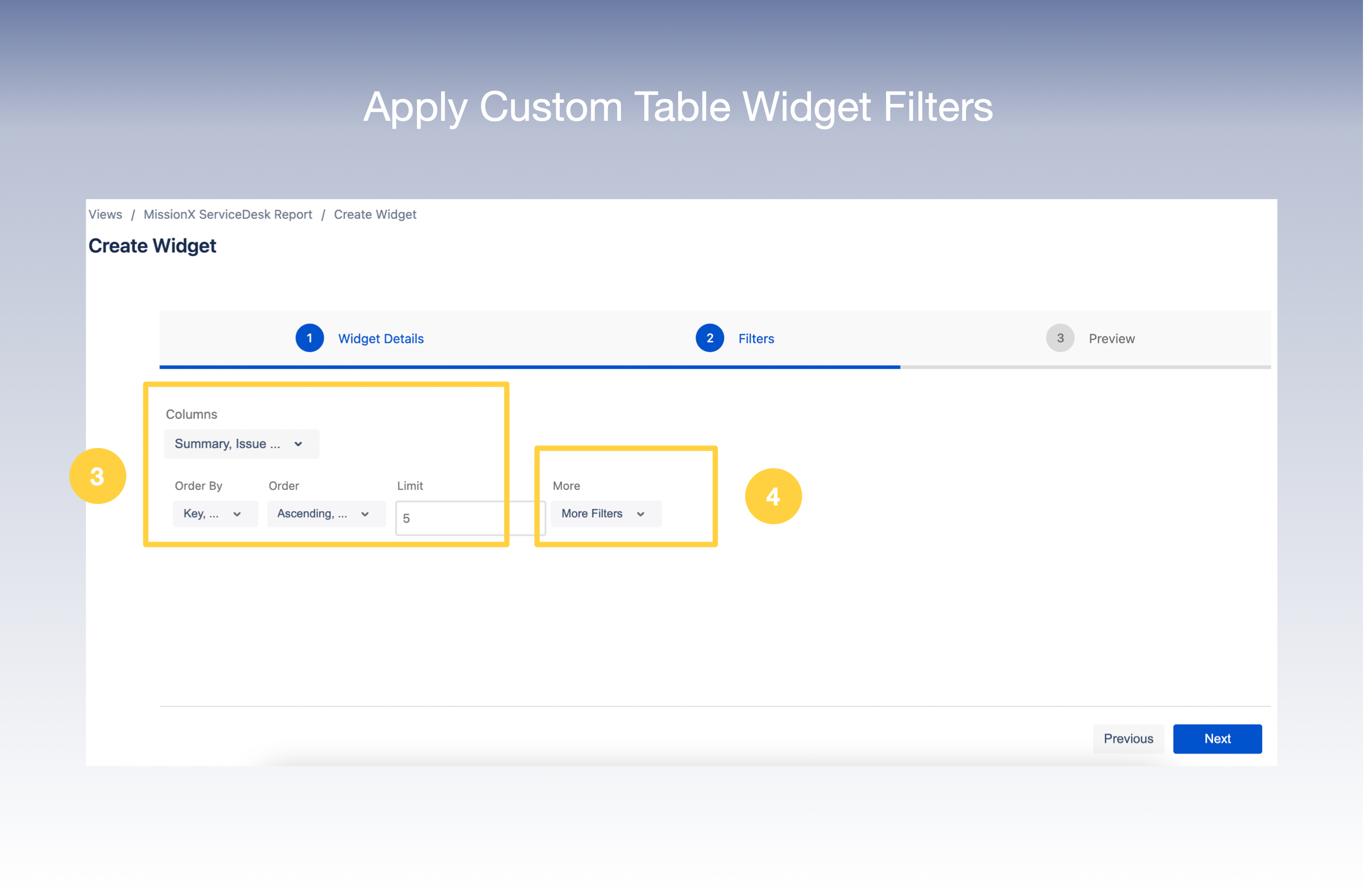
7. You can now get a Preview of your Widget on your screen
8. Click Create
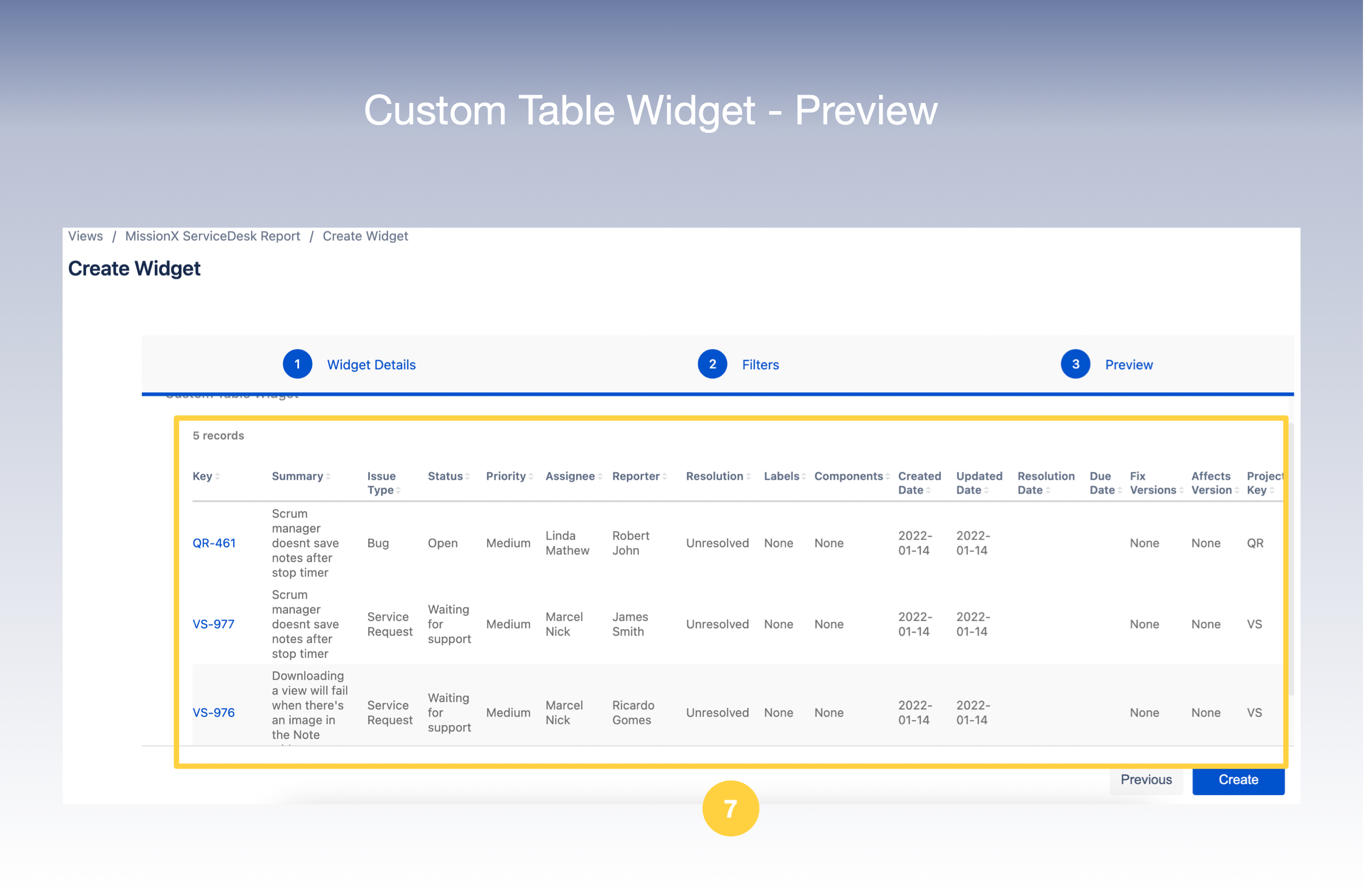
9 . And now you have successfully created your Custom Table Widget which will appear in your View