
Change the order of a list of files, or group it, to find a file faster. Sorting and grouping only change what you see; the files and their labels stay as they are.
On a Jira work item
-
Open the Attachments panel.
-
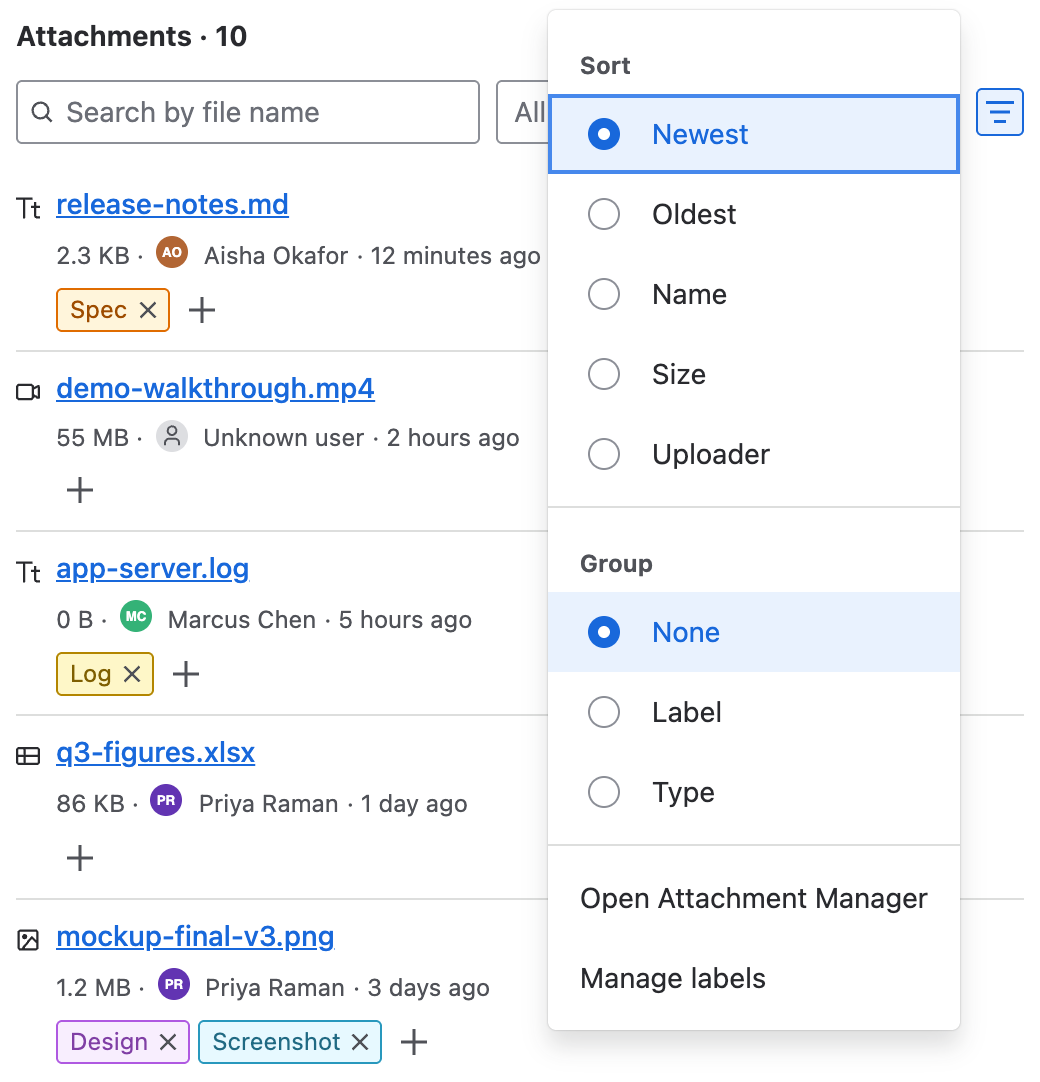
Select Panel options, the icon at the top right of the panel.
-
Under Sort, choose Newest, Oldest, Name, Size or Uploader.
-
Under Group, choose None, Label or Type.
On the Attachments tab
Open Apps → Attachment Manager. Select the Size or Uploaded column heading to sort by it, and select it again to reverse the order. Use Previous and Next to move between pages. To bring files together by name, label, type or uploader, use the filters above the list.
Related pages